

Set your payroll cycle
Choose the day your payroll week starts and how often you pay: weekly, fortnightly, four weekly, monthly or twice a month.
Your payroll cycle sets the pay period you work in on the Pay Rates page, and the weeks and fortnights that overtime and allowance rules count hours over. Set it once, before you first apply pay rates.
Owners and Admins can change it by default.
Set the cycle
- In the sidebar, select Settings, then General.
- Under Financial, select Payroll.
- Under Pay week and cycle, choose the Week Start Day, the day your payroll week begins.
- Choose the Payroll Cycle, then fill in the field that appears for it (see the table below).
- Select Save Payroll Settings.
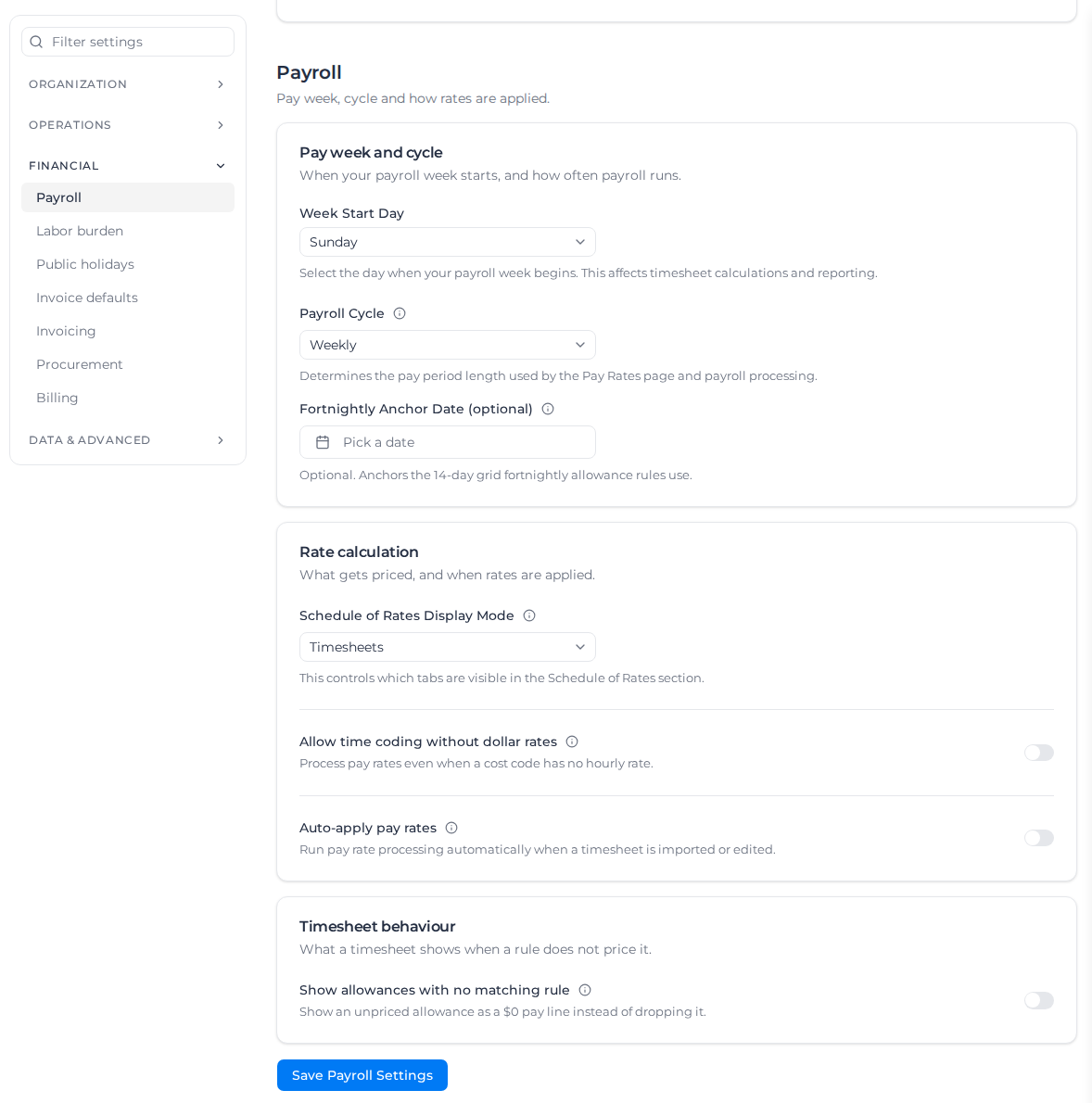
The Pay Rates page uses the new pay periods the next time it loads.
| Payroll Cycle | Pay period | Field to fill in |
|---|---|---|
| Weekly | One payroll week | Fortnightly Anchor Date (optional), only if you use fortnightly rules |
| Fortnightly | 14 days | Cycle Anchor Date |
| Four Weekly | 28 days | Cycle Anchor Date |
| Monthly | One month, from a day of the month | Start Day of Month (1 to 31) |
| Twice a Month | Two periods a month | Start Day of Month (1 to 13) |
Choose the Week Start Day first: the anchor date picker only lets you pick that day of the week.
Fortnightly and four weekly
The Cycle Anchor Date is the first day of any one pay period. Periods then run every 14 (or 28) days before and after it. For example, with a Monday week start and an anchor of Monday 15 June, pay periods run 15 to 28 June, 29 June to 12 July, and so on.
Weekly
A weekly cycle needs no anchor. Set a Fortnightly Anchor Date only if a pay rate document has fortnightly allowance or fortnightly overtime rules: it fixes which weeks pair up into a fortnight.
Without it, fortnightly overtime rules are skipped entirely, and fortnightly allowances are worked out over the two weeks ending with the one being paid, which does not reliably alternate. The timesheet's rate details note when fortnightly overtime was skipped.
Monthly and twice a month
These cycles follow the calendar:
- Monthly: each period runs from the start day to the day before it in the next month. Start day 1 gives calendar months. A start day past the end of a short month moves back to its last day, so 31 becomes 30 April or 28 February.
- Twice a Month: one period starts on the start day and the next 15 days later. Start day 1 gives the 1st to the 15th and the 16th to the end of the month.
Fortnightly rules on these cycles need no anchor: they follow a steady 14-day pattern on your week start day that carries on across pay periods.
A month can start on any day of the week, so a payroll week can fall across two pay periods. Weekly overtime and weekly allowances still count the whole week: hours paid in the earlier period count toward the overtime threshold in the later one, and a weekly allowance is paid once for the week, not once per period. The Summary View shows the part weeks at the start and end of the period.
Other payroll settings on this page
| Setting | What it does |
|---|---|
| Allow time coding without dollar rates | Processes timesheets even when a cost code has no hourly rate, so time is coded into regular, 1.5x and 2x quantities without dollar amounts. |
| Auto-apply pay rates | Applies pay rates in the background whenever a timesheet is imported or edited. See Apply pay rates automatically. |
| Auto-process Schedule of Rates | Prices new and edited transactions with your schedule of rates in the background. A timesheet waits until you approve it. Shown only when your organization uses Schedule of Rates. See Price transactions automatically. |
| Show allowances with no matching rule | Shows an allowance ticked on a timesheet that no rule prices as a $0 pay line, instead of leaving it out. It never changes pay. |
Schedule of Rates Display Mode belongs to invoicing; see Set up a schedule of rates.