

Set up allowances
Keep the list of allowances workers can record on their timesheets, such as travel, meal and tool allowances.
The allowances list holds the allowances your workers can claim, such as a travel, meal or tool allowance. When a worker records their time on a form with a Worker Time field, they pick an allowance from this list and enter a quantity, so every claim uses the same name.
The list only names the allowances. What an allowance pays comes from an allowance rule set to Apply rate against existing timesheet allowance in the worker's pay rate document. A recorded allowance with no matching rule adds nothing to pay.
Open the allowances list
Under Payroll, select Allowances. The list shows each allowance's Name, Cost Code and Description. Search for one with Search allowances....
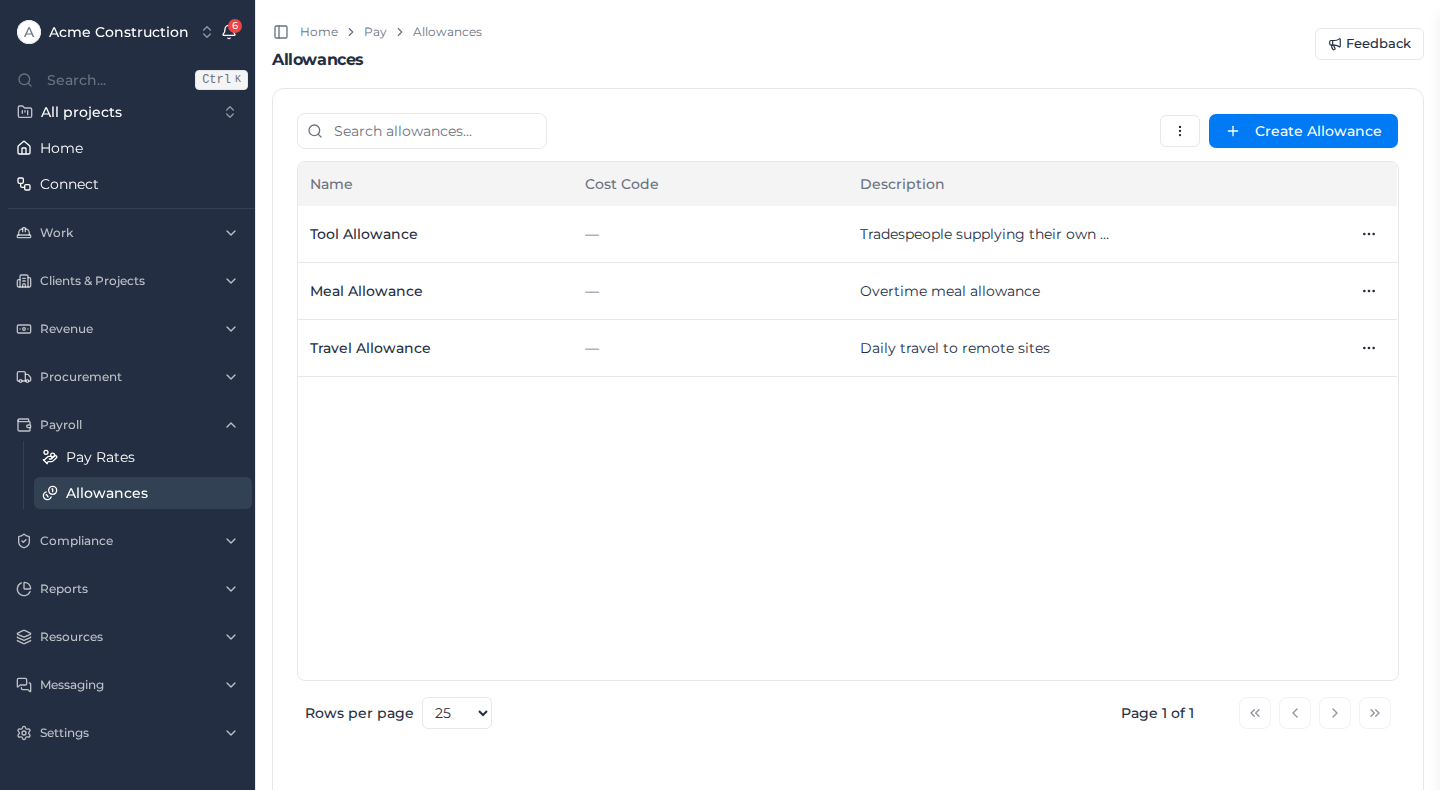
Owners, Admins and Managers can open the list and add or edit allowances. Deleting one needs the Delete cost codes permission, which Owners and Managers hold by default.
Add an allowance
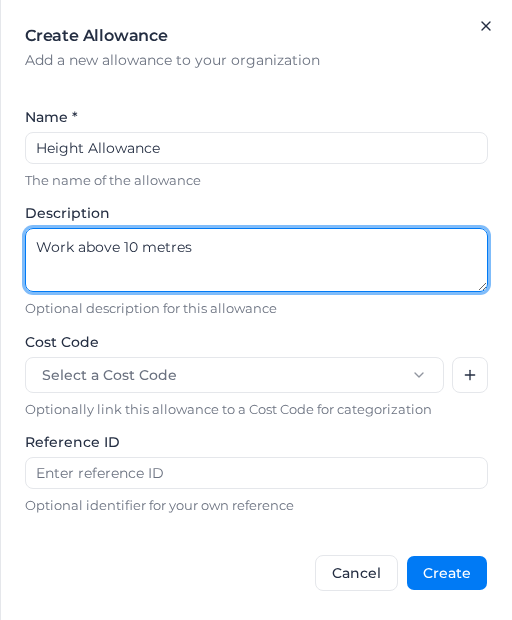
- Select Create Allowance.
- Enter the Name, such as "Height Allowance". Use the name your allowance rule uses: the rule matches it ignoring capitals and the word "Allowance" at the end of the name.
- Optionally enter a Description.
- Optionally choose a Cost Code, or select + to create one.
- Optionally enter a Reference ID for your own records.
- Select Create.
Without the permission, saving shows "You do not have permission to create allowances".
Change or remove an allowance
Open the ⋯ menu at the end of the allowance's row and select Edit to change it, or Delete to remove it. Deleting asks you to confirm: "Are you sure you want to delete '…'? This action cannot be undone."
Rename an allowance only together with its allowance rule, so the two names still match.