

Delegate to subcontractors
Link a subcontractor's organization and hand it inspection points to sign off, and, as the subcontractor, find and sign off the rows delegated to you.
When a subcontractor does part of the work on your ITP, you can hand those rows to its organization instead of adding its people to yours. Anyone in the subcontractor's organization who can sign off workpacks can then sign off the rows assigned to it, from its own Assignar Pay account. Everything else on the workpack stays read-only to them.
Inviting and revoking organizations and assigning rows need Manage workpacks.
Link the subcontractor's organization
- Go to Workpacks → Linked organisations and click Invite organisation.
- Enter the Email address of someone at the subcontractor.
- Click Send invite.
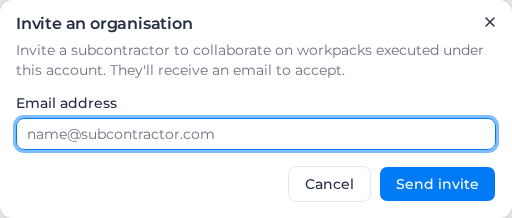
The invite shows as Invite pending until they accept it by email, linking one of their own organizations to yours. It then shows as Linked. Subcontractors you have approved in the Subcontractor Hub are listed here as Linked too; see Subcontractors.
Revoke ends a link, or withdraws an invite that hasn't been accepted. The subcontractor loses access to every row assigned to it straight away. To work together again, send a new invite.
Assign rows to the subcontractor
While the workpack can still be edited:
- One row: open the row in Activities, set Responsible party to Organisation and pick the linked organization. Click Save activities.
- Several rows: tick the rows (or Select all), choose Organisation under Assign, pick the organization under Assign to organisation, and click Apply to selected. Then click Save activities.
A row is assigned either to people and tags or to one organization, so assigning it to an organization replaces the people and tags it had. On the execution screen the row names the organization as responsible.
As the subcontractor: sign off delegated rows
- In your own organization, go to Workpacks → Delegated to us. It lists each workpack with who delegated it and how many rows are yours.
- Open a workpack. A Delegated workpack banner explains that it belongs to another organization.
- Rows badged Yours to action are yours. Sign them off, capture their records and photos, and mark them failed and close their defects, as on your own workpacks (see Sign off on site).
While the workpack isn't Active, for example while its owner revises it, the page says "Not open for sign-off" and you can only read it.
The other rows are there for context; you can't act on them. Linked forms and witness calls stay with the organization that owns the workpack, so a row that needs one of those is finished by them. If the link is revoked, or your last row is taken back, the workpack disappears from your list.
Related pages
- Invite outside reviewers: people who approve the plan rather than sign off rows.
- Who can do what