

Link related tickets
Let a higher licence count for the lower ones it covers, and treat interstate or alternative tickets as interchangeable.
Tickets are rarely one-to-one. A worker with an Advanced Rigging licence can do Basic Rigging work, and a crane operator licensed up to 100 tonnes can drive a 20-tonne crane. You link competencies so a worker's higher or equivalent ticket counts, instead of recording the lower one as well.
There are two kinds of link, each on its own tab under Compliance → Competencies:
- Hierarchies: a higher competency covers lower ones. It only works one way: the lower ticket does not count for the higher one.
- Equivalence Groups: two or more competencies are interchangeable. Holding any one of them counts for all of them.
Owners, Admins and Managers can change links. Every change is previewed before it is saved.
Inductions are never linked. They are left out of every list on both tabs, so an induction never counts for another competency and no other competency counts for it.
Let a higher ticket cover lower ones
- Open the Hierarchies tab.
- Select Add Coverage, then the higher competency, for example Slewing Mobile Crane up to 100t (C1). To change an existing one, select Edit Coverage on its row instead.
- In Edit Outgoing Coverage, tick each lower competency it covers. The count at the bottom shows how many are ticked; Clear all unticks them.
- Select Preview Impact.
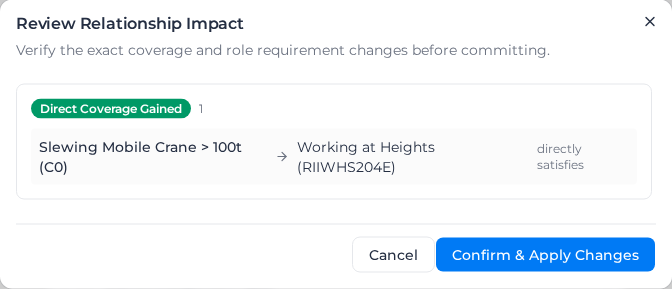
- Review Relationship Impact lists the links you are adding or removing and the role requirements they affect. Select Confirm & Apply Changes.
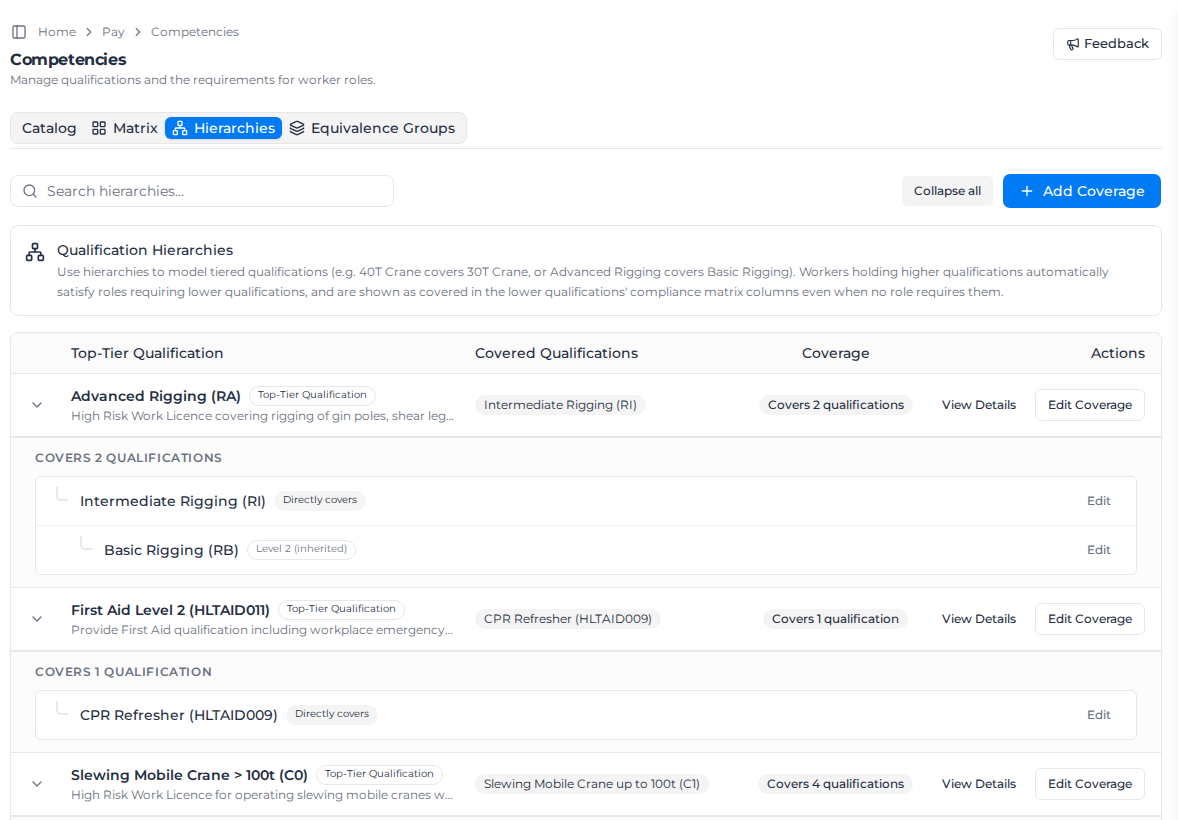
Coverage carries down the chain. If C1 covers C6 and C6 covers C2, a worker holding C1 also counts for C2. Select Expand all to see each chain: Directly covers marks a link you set, and Level 2 (inherited) or Level 3 (inherited) marks one that comes through the chain.
A competency cannot cover one that already covers it. If you tick one, the editor shows "Circular tier detected" with the chain, and the preview shows Circular Coverage Not Allowed. Untick it to continue.
Make tickets interchangeable
- Open the Equivalence Groups tab.
- Select New Equivalence Group, then one of the competencies, for example Interstate 20T Crane Ticket. To add to an existing group, select Add Equivalent Qualification on its row instead.
- In Link Equivalent Qualifications, tick the competencies that are interchangeable with it. If you tick one that is already in a group, its whole group joins.
- Select Preview Link Impact, check the changes, then confirm.
If the preview shows Requirement Threshold Conflict, a role needs a worker to hold more than one of these tickets, and an equivalence group counts as one ticket. The tickets can't be made interchangeable while that role requirement stands.
A group needs at least two competencies. Select Expand all to list each group's members.
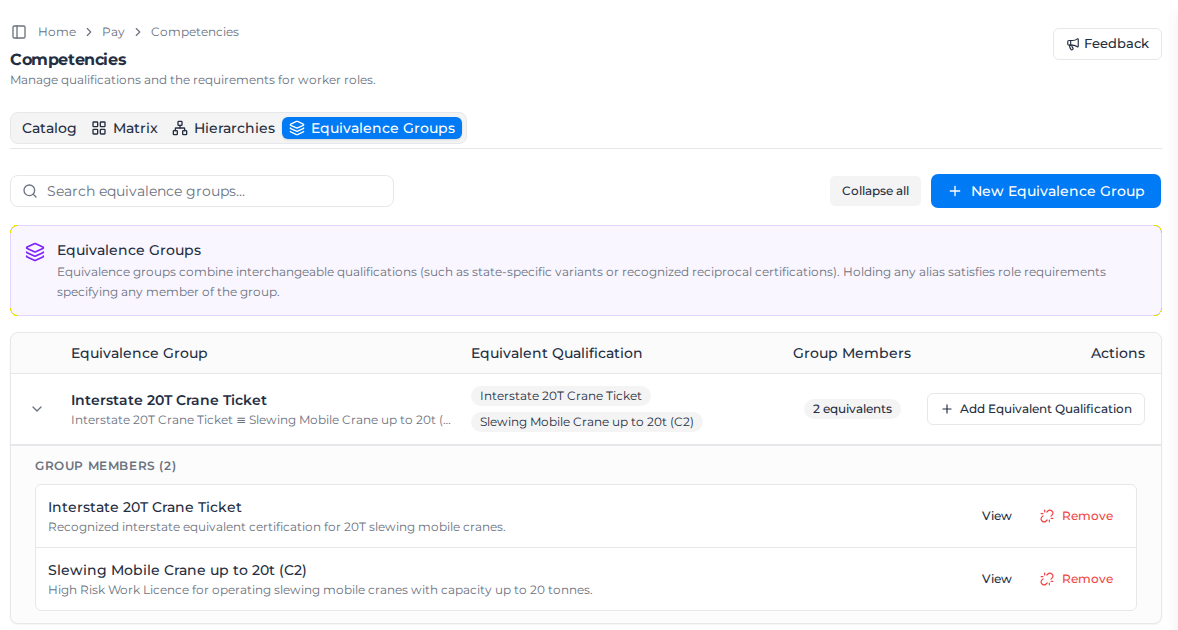
To take a competency out of a group, expand the group, select Remove beside it, select Preview Remove Impact, and confirm. Workers who relied on it for that group's tickets stop counting for them.
How links show up for workers
On a worker's Roles & Competencies tab, a requirement met through a link shows what the worker actually holds, then what it counts for:
- Held: Slewing Mobile Crane up to 60t (C6) and Covers: Slewing Mobile Crane up to 20t (C2) for coverage.
- Equivalent to: and the competency, for an equivalence group.
Select Why this counts to see the chain, for example C6 → C2. See Record worker credentials.
On the Matrix tab, coverage applies even when no role asks for the lower ticket. A covered cell is marked Inh (inherited), and the CSV export says Covered by and the higher ticket. The higher ticket's expiry and alert lead time decide when the covered cell turns to expiring or expired. If the worker also holds the lower ticket and it is inside its own alert lead time, the cell shows Renewal due: they are still covered, but that ticket needs renewing.
If someone else changed the links
If another person changes the catalog while you are previewing, the preview shows Configuration Changed. Select Reload Latest Configuration, then make your change again.