Assignar Pay API
Connect your own systems to Assignar Pay over a REST API: the base URL, how to authenticate, which scopes unlock which endpoints, and where the full reference lives.
The Assignar Pay API lets your own systems read and update your organization's data: pay results, timesheets, cost codes, invoices, purchase orders and more. It is a JSON REST API authenticated with API keys that an Owner or Admin creates in Settings.
These pages cover getting started. For every endpoint's parameters, request body and response fields, use the API reference.
Before you start
- An API key for your organization. An Owner or Admin creates one in Settings → API Keys and chooses what it may reach. See Manage API keys.
- The key's scopes must cover the endpoints you call. See Scopes and endpoints below.
A key belongs to one organization. Every request made with it reads and writes that organization's data only, so you never pass an organization ID.
Base URL
https://pay.assignar.com/api/v1
Every path in these pages and in the reference is relative to it, for example https://pay.assignar.com/api/v1/timesheets.
Authenticate
Send the key in the X-API-KEY header:
curl "https://pay.assignar.com/api/v1/cost-codes?page_size=10" \
  -H "X-API-KEY: sk_your_api_key"
You can send it as a bearer token instead: Authorization: Bearer sk_your_api_key. If a request carries both headers, the X-API-KEY value is used.
A request with no key, or with a key that is wrong, revoked or expired, gets 401:
| Response body | Cause |
|---|---|
{"error": "Missing API key. Provide via X-API-KEY header or Authorization Bearer token"} | Neither header was sent, or the Authorization header does not start with Bearer . |
{"error": "Invalid API key"} | The key does not exist, was revoked, or has passed its expiry date. |
Make your first request
List your cost codes. Any key with the Reference Data scope can do this:
curl "https://pay.assignar.com/api/v1/cost-codes?page=1&page_size=2" \
  -H "X-API-KEY: sk_your_api_key"
{
  "data": [
    {
      "id": "96a1c596-83aa-43f8-a719-fa872b5238e4",
      "code": "AL-LOAD",
      "description": "Annual Leave Loading 17.5%",
      "default_unit": "hours",
      "default_unit_price": 0,
      "code_type": "payitem",
      "is_active": true,
      "category": { "id": "1756649c-…", "name": "General" },
      "subcategory": { "id": "f05f5cab-…", "name": "General Subcategory" },
      "created_at": "2026-09-25T22:09:16.317156+00:00",
      "updated_at": "2026-09-25T22:09:16.317156+00:00"
    }
  ],
  "pagination": { "page": 1, "page_size": 2, "total": 74, "total_pages": 37 }
}
(Some fields are left out here.) Lists come back as data plus pagination, a single record as data alone, and an error as error. Paging, filtering, sorting, rate limits and every error code are on Requests and errors.
Scopes and endpoints
A key carries one or more scopes. Each scope pairs a Resource Type with an Action, written resource:action, for example payroll:read:
- Read (
read) allows theGETendpoints of that resource type. - Write (Create, Update, Delete) (
write) allows itsPOST,PATCHandDELETEendpoints, and itsGETendpoints too. - All Actions (
*) allows everything on that resource type.
The resource types, and the endpoints an API key can call with them:
| Resource Type | Read | Write |
|---|---|---|
Payroll (payroll) | GET /pay-rates, /timesheets, /timesheets/{id}, /employees, /employees/{id}, /dockets, /dockets/{id}, /orders, /orders/{id}, /allocations, /allocations/{id}, /worker-competencies, /worker-competencies/{id}/evidence, /projects/{id}, /projects/list. POST /comments on a timesheet or docket. | POST /worker-competencies/import, POST /worker-competencies/evidence-uploads (see Import competencies from Assignar Ops) |
Resources (resources) | GET /employees, /employees/{id}, /employment-types, /employment-types/{id}. A Payroll key reads these too. | POST /employees, PATCH /employees/{id}, DELETE /employees/{id} (archive), POST /employees/{id}/restore, POST /employment-types, PATCH /employment-types/{id} (see Create and maintain workers) |
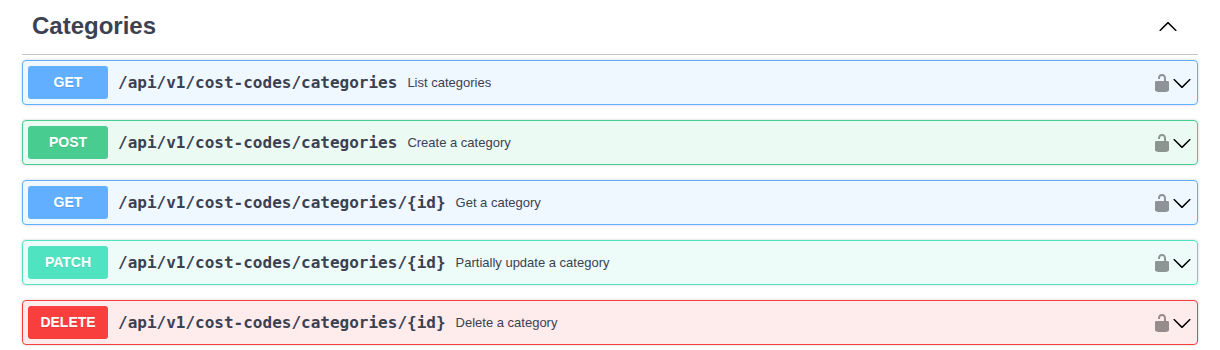
Reference Data (reference_data) | GET /cost-codes, /cost-codes/{id}, /cost-codes/categories, /cost-codes/categories/{id}, /cost-codes/categories/{id}/subcategories, /cost-codes/subcategories/{id}, /tags, /tags/{id} | POST /cost-codes, POST /cost-codes/batch, PATCH and DELETE /cost-codes/{id}, POST /cost-codes/categories, PATCH and DELETE /cost-codes/categories/{id}, POST /cost-codes/categories/{id}/subcategories, PATCH and DELETE /cost-codes/subcategories/{id}, POST /competencies/import |
Accounting (accounting) | GET /invoices, /invoices/{id}, /quotes, /quotes/{id}, /purchase-orders, /purchase-orders/{id}, /supplier-invoices, /supplier-invoices/{id}, /supplier-invoice-imports/{id}, /supplier-quote-imports/{id}, /clients, /clients/{id}, /projects, /projects/{id}, /projects/list, /suppliers. POST /comments on an invoice. | POST /clients, DELETE /clients/{id} and POST /clients/{id}/restore (see Archive and restore clients), PATCH /invoices/{id}/status, PATCH /purchase-orders/{id}/status, POST /documents/send (email an invoice or quote), POST /projects, PATCH and DELETE /projects/{id}, POST /projects/{id}/restore (see Create and manage projects) |
Client financial assessments (client_financial_assessments) | GET /clients/{id}/financial-assessment, /client-financial-controls, /client-financial-controls/capabilities, /client-financial-controls/exceptions, /client-financial-controls/exceptions/{id}. POST /client-financial-controls/evaluate and /client-financial-controls/exceptions. | PUT /clients/{id}/financial-assessment |
Client financial policies and settings (client_financial_policies) | GET /client-financial-controls, /client-financial-controls/capabilities | PUT /client-financial-controls/settings, PUT /client-financial-controls/statuses/{id} |
Documents (document) | None of the endpoints in the reference. | None of the endpoints in the reference. |
Write on Resources is what adds, changes and archives workers and employment types; Write on Payroll can't. Write on Accounting is what creates clients.
A call outside the key's scopes gets 403 with the scope it needs, for example {"error": "Insufficient scope: requires reference_data:write"}. Scopes decide which endpoints you can call, not which fields you get back: a timesheet includes its client's and project's names, which are Accounting data, when the key holds only a Payroll scope.
What an API key cannot do
The reference also lists endpoints that answer only to an Assignar Connect workspace, because they act as a person in your organization rather than as a key. Called with an API key, each one returns 403:
- Creating a purchase order (
POST /purchase-orders), creating or updating an order (POST /orders,PATCH /orders/{id}), assigning a Business Unit (POST /business-unit-assignments), importing a supplier invoice (POST /supplier-invoice-imports,POST /supplier-invoice-imports/uploads), importing a supplier quote as a draft purchase order (POST /supplier-quote-imports,POST /supplier-quote-imports/uploads), and adding or removing a worker's tags. The403body explains that the action needs a Connect workspace connection. - Financial exception decisions and revocations (
POST /client-financial-controls/exceptions/{id}/decideand/revoke). These require a Connect workspace acting as a person who currently has the approval or override permission for that exception. - The tax-rate and team-member lists (
GET /tax-rates,GET /members). - Quote PDF downloads (
GET /quotes/{id}/pdf). See Get quote contacts and a PDF through Connect. - Forms, form submissions, workpacks, defects, SMS, notifications, approvals and webhook subscriptions. The key form offers no scope for these, so a key always gets
Insufficient scope.
To automate across these, build the workflow in Assignar Connect instead.
Get quote contacts and a PDF through Connect
To attach a quote to an email sent from your own mailbox, use an Assignar Connect workspace connection. Your organization needs Quoting, and the connection's acting user needs quotes.view. Downloading the PDF also requires finance.sell.view; reading the quote's contacts requires clients.view.
- Call
GET /quotes/{id}with the quote's UUID. The response'sdata.contactslists the client contacts attached to that quote, with the primary contact first and deleted contacts left out. - Call
GET /quotes/{id}/pdf. It renders the quote using the print template assigned to it and returns JSON withdata.quote_id,filename,content_type,urlandexpires_at. Thecontent_typeisapplication/pdf. - Download the file from
data.urland attach it to your email. The signed link expires after 15 minutes;data.expires_atgives the expiry time in ISO 8601 format. Request another PDF link if it expires before you download the file.
Each contact includes id, name, first_name, last_name, email, phone and is_primary. An absent email address or phone number is null. An empty contacts array means there are no available contacts on the quote.
If the acting user lacks clients.view, or you use an ordinary API key, data.contacts is null and the response's top-level redacted_fields includes contacts. Treat this as withheld contact information, not as an empty recipient list. Contacts are included only on the quote detail endpoint, not on GET /quotes.
Each PDF request renders again. Allow time for rendering before the JSON response arrives. The endpoint uses the assigned template without a template override parameter.
| Status | Response error | What to do |
|---|---|---|
403 | Rendering a quote PDF needs a person to check financial access against. Use an Assignar Connect workspace connection. | Use a Connect workspace connection instead of an API key. |
403 | Financial access denied | Use a connection whose acting user has finance.sell.view as well as quotes.view. |
404 | Quote not found | Check the quote ID and that the acting user can access the quote in the connection's organization. |
504 | Rendering the quote PDF took too long. Try again. | Retry the PDF request. Keep the response's run_id, when present, if you need help investigating the failure. |
500 | Failed to generate quote PDF | Retry the PDF request. If it keeps failing, provide the returned run_id, when present, to support. |
Import a supplier quote through Connect
Use a Connect workspace connection running as a person who can create purchase orders. The organization must include Procurement. The import reads the document for a person to review in Pay; it does not create or approve a purchase order.
- Send
POST /supplier-quote-imports/uploadswithfile_name. Keep the returneddata.import_id,storage_path,tokenandsigned_url. - Upload the file bytes to
signed_urlusing the returned token. Use a PDF or PNG, JPEG or WebP image up to 25 MB, or a CSV or XLSX file up to 10 MB. HEIC and HEIF files can be uploaded but cannot be read; convert them before uploading. - Send
POST /supplier-quote-importswithimport_id,storage_pathandfile_name. Include anIdempotency-Keythat identifies the source file, such as a mailbox message ID plus attachment ID, or a drive file ID plus revision. After a timeout, retry with the same key and body rather than uploading again. - Poll
GET /supplier-quote-imports/{id}. Whenstatusisneeds_review, a person checks the quote in Pay and creates the purchase order. When it iscommitted,created_purchase_order_ididentifies the purchase order; forfailed, readerror_messagebefore trying again.
A 201 from step 3 means the import was accepted, not that a purchase order was created. A repeat request returns 200 with the existing import.
XLSX workbooks can have up to 20 non-empty sheets, 2,000 data rows across those sheets and 60 columns per sheet. Spreadsheets must fit within 40,000 characters of cell text.
If reading a PDF fails with a 20-page-limit error, split it into smaller PDFs and upload each separately with its own source identity. The API reference lists the request and response fields.
To review the document, correct prices and create the purchase order, the reviewer also needs access to cost figures. See Raise purchase orders.
Sync financial assessments
Read GET /client-financial-controls/capabilities to build commercial-action and policy selectors. It returns data.actions and data.policies, each an array of {value, label} choices, without reading an organization's settings, statuses or assessments. It accepts a read scope for client_financial_assessments, client_financial_policies, accounting or operations.
Read GET /client-financial-controls for the organization's own statuses and settings. Use the returned status IDs when writing assessments or updating statuses; renaming a status preserves its ID. Access to capabilities does not grant access to this private configuration.
Use PUT /clients/{id}/financial-assessment to record a manual assessment or import one from an accounting system. For an import, send expectedVersion and an assessment with sourceKind: "integration", sourceName, observedAt, statusId and reason. You can include sourceReference, creditLimit, exposure and currency. Send money as decimal strings, such as "1000.25"; leave amounts out to keep their current values.
Read the assessment first and use its version as expectedVersion, or 0 for a new assessment. A concurrent change or an import older than the current assessment returns 409 with code: "conflict". After a conflict, read the current state and prepare a new change. Use the source's actual observation time; a successful retry must not make old data look newly observed.
Manual assessments default to manualLock: true, which prevents an integration from replacing them. Release the lock with a manual update and a reason before resuming integration updates.
Financial controls start switched off for every organization. Importing an assessment or creating a status leaves that setting unchanged. Enable enforcement explicitly through PUT /client-financial-controls/settings; use the returned settings revision for subsequent changes. Private assessment details require the financial assessment scope, while withheld amounts return null with redactedFields.
To check an action, send clientId and action to POST /client-financial-controls/evaluate. It returns inactive, allowed, warned, approval_required or blocked. This is a client-level policy decision; the evaluation body does not accept a job or order context.
For an exception request, send clientId, action, a stable requestKey UUID and a request containing the reason and the returned assessmentVersion, policyRevision and settingsRevision to POST /client-financial-controls/exceptions. Include request.orderId to scope it to an existing order belonging to the client. Poll /client-financial-controls/exceptions/{id} for its safe status, expiry and consumption state; the full history needs financial assessment read access.
In Connect, pass the exception ID as financial_exception_id when registering the human review through POST /approvals. The request must belong to the same requesting person or key, and the nominated reviewer needs the current financial approval or override permission. An ordinary approval without this link does not authorize a financial exception; the commercial action still validates the current exception when it runs.
Financial writes accept Idempotency-Key. After a timeout, retry with the same key and exact body. A replay reads the result through your current access, so a changed visibility grant can change the returned fields; after reviewing a version conflict, a new change needs a new key. The API reference lists every action, policy, request field and response shape.
Connect's native financial steps use the workspace acting user's effective permissions. Existing account-wide keys do not gain financial scopes automatically; private assessment and configuration calls still require the appropriate explicit financial scope.
Link an approval to a record
POST /approvals can link the approval to a record with record.entity_type and record.entity_id. The connection's acting user must be able to see that record, including when your organization limits access by location. A record they can't see, or one that doesn't exist, returns 404 with Record not found, and no approval is created. Use a connection whose acting user can see the record, or check the ID.
Create and manage projects
Reading a project needs Accounting / Read or Payroll / Read. Creating, changing, deleting and restoring one needs Accounting / Write (Create, Update, Delete).
Read projects
GET /projects is the pick list for dropdowns: an id and label for each project. For whole records use GET /projects/{id}, or GET /projects/list, which is paginated and takes filters such as status=eq.Active, client_id=eq.<uuid>, external_id=eq.ACU-1001 and datasource=eq.public_api. Add search to match the name or code, and updated_since (an ISO 8601 timestamp with its time zone, such as 2026-10-01T00:00:00Z) to fetch only projects changed since your last sync.
A project includes its name, code, client (id, name, external_id), status, region, description, start_date, estimated_end_date, actual_end_date, its tags, external_id, datasource and timestamps. Deleted projects are left out of every list, and GET /projects/{id} returns 404 for them.
Create a project
Every project belongs to a client, so create or find the client first, then create the project with the client's id or its external_id:
# Accounting / Write (Create, Update, Delete)
curl -X POST "https://pay.assignar.com/api/v1/clients" \
  -H "X-API-KEY: sk_your_api_key" \
  -H "Idempotency-Key: client-C-9" \
  -H "Content-Type: application/json" \
  -d '{"name": "Harbourside Developments", "external_id": "C-9"}'

curl -X POST "https://pay.assignar.com/api/v1/projects" \
  -H "X-API-KEY: sk_your_api_key" \
  -H "Idempotency-Key: project-ACU-1001" \
  -H "Content-Type: application/json" \
  -d '{"name": "Harbour Bridge Repaint", "code": "HBR-01", "client_external_id": "C-9", "status": "Active", "start_date": "2026-11-02", "external_id": "ACU-1001"}'
Send exactly one of client_id and client_external_id. The client must be an active client in your organization, otherwise the request returns 422. You can't move a project to another client afterwards. status is Planning (the default), Active, On Hold or Completed, and dates are YYYY-MM-DD. The response is 201 with the new project, which has datasource set to public_api.
Customers whose portal access covers the whole client see its new projects there too.
Send the same project again
If you send an external_id and a project you created through the API already has it, you get 200 with that project and nothing is changed. 201 means a project was created. This makes a sync safe to re-run: send the same project again and you get the same record back. To retry a request that timed out, also send the same Idempotency-Key (see Retry a write safely).
Change, close out or remove a project
- Change details with
PATCH /projects/{id}. Send only the fields you are changing;nullclears one. The response is the updated project. - Close out a finished job by setting
statustoCompleted. The project stays visible, with its history. - Remove a project created by mistake with
DELETE /projects/{id}. It disappears from lists and lookups, and nothing linked to it is removed. The response is the deleted project. Bring it back withPOST /projects/{id}/restore.
Projects from Assignar Ops
Projects synced from Assignar Ops have datasource set to assignar. You can change them, but while your organization is connected to Ops, the next sync overwrites their name, client, status, description, start_date and estimated_end_date, and their Business Unit when Ops sends one. An Ops project's code and external_id can't be changed.
A project your principal contractor manages through the Subcontractor Hub keeps the name, code and status they give it.
When a request is refused
A refused write comes back as {"error": "…", "code": "…"}. A key without the scope gets 403 with Insufficient scope: requires accounting:… and no code.
| Status | code | What it means and what to do |
|---|---|---|
400 | VALIDATION_ERROR | A field is missing or not allowed. datasource, tags and job-costing figures can't be written. Read error, fix the body and send it again. |
400 | CLIENT_IMMUTABLE | A PATCH tried to change the client. Create a new project under the other client instead. |
403 | FORBIDDEN | The key isn't allowed to make this change. Use a key with Accounting / Write (Create, Update, Delete). |
404 | NOT_FOUND | No project with that ID in your organization, or it has been deleted. |
409 | OPS_PROJECT_LOCKED | You tried to change an Ops project's code or external_id. The external_id is the project's link to Ops, so neither can change in Pay. Change the code in Ops. |
409 | HUB_PROJECT_LOCKED | You tried to change a field your principal contractor manages. |
409 | EXTERNAL_ID_CONFLICT | Another project you created through the API already has that external_id. error names it. |
409 | NOT_DELETED | You tried to restore a project that isn't deleted. |
422 | CLIENT_NOT_FOUND | The client isn't an active client in your organization. error names the value you sent. |
Through Assignar Connect
A Connect workspace connection works as its acting user. Creating a project needs that person to hold Create projects, and changing one needs Update projects. Deleting or restoring needs Delete projects as well. An older account-wide Connect key can create and change projects but can't delete or restore them.
Assign a Business Unit by code
POST /clients takes a business_unit_code. So do POST /orders and PATCH /orders/{id}, which need an Assignar Connect workspace connection. Codes match without regard to capital letters, but leading zeros matter: 007 and 7 are different codes. The code must belong to your organization.
Leave the field out to keep an existing assignment. Send null to clear it. An archived Business Unit can stay on a record that already has it, but you can't assign it to another record.
To assign or clear a Business Unit on an existing client, project, order, worker or asset, send POST /business-unit-assignments:
{
  "entity_type": "project",
  "record_id": "00000000-0000-4000-8000-000000000001",
  "business_unit_code": "007"
}
entity_type is one of client, project, order, worker or asset, and record_id is the record's UUID. A successful response returns data with entity_type, record_id, business_unit_id and business_unit_code.
This endpoint answers only to a Connect workspace connection running as a Pay user who can update that type of record; an API key gets 403. An unknown code, or an archived one you try to assign, returns 422: choose an active code from your list. A record that doesn't exist or that the user can't reach returns 404. A code sent here is an explicit assignment, not a location default. Your Business Units and their codes are listed in Manage Business Units.
Archive and restore clients
Archive a client with DELETE /clients/{id}. The client is hidden, not erased: it no longer appears in GET /clients or GET /clients/{id}, and Assignar Pay treats it as deleted, the same as deleting a client in the app. The API has no permanent delete. POST /clients/{id}/restore brings an archived client back.
Both endpoints need a key whose Accounting scope has the action Write (Create, Update, Delete) or All Actions. A key with Read gets 403. In Assignar Connect, a workspace connection can call them when its acting user has clients.delete.
curl -X DELETE "https://pay.assignar.com/api/v1/clients/4bed9933-2c1d-4f5e-8a6b-7c8d9e0f1a2b" \
  -H "X-API-KEY: sk_your_api_key" \
  -H "Idempotency-Key: archive-4bed9933"
{
  "data": {
    "id": "4bed9933-2c1d-4f5e-8a6b-7c8d9e0f1a2b",
    "name": "Harbourside Developments",
    "external_id": "xero-1042",
    "datasource": "public_api",
    "is_deleted": true,
    "updated_at": "2026-10-20T05:00:00.000000+00:00"
  }
}
(Some fields are left out here.) The response is the same client record GET /clients/{id} returns. To undo it:
curl -X POST "https://pay.assignar.com/api/v1/clients/4bed9933-2c1d-4f5e-8a6b-7c8d9e0f1a2b/restore" \
  -H "X-API-KEY: sk_your_api_key" \
  -H "Idempotency-Key: restore-4bed9933"
Archiving leaves the client's projects, invoices, quotes and orders as they are. You can archive a client that still has open projects or unpaid invoices; those records stay linked to it.
When a request is refused, the response's code says why:
| Status | code | Cause | What to do |
|---|---|---|---|
404 | none | Client not found: no client with that id in your organization. Archiving a client that is already archived also returns this. | Check the id. |
409 | default_client | Your organization's default client can't be archived. | Leave it in place. |
409 | subcontractor_hub | The client is a principal contractor managed by the Subcontractor Hub. | Manage it in the Subcontractor Hub. |
409 | not_archived | You asked to restore a client that isn't archived. | Nothing to do. |
409 | external_id_conflict | Another client from the same source already has this client's external_id. | Archive that client first, or leave this one archived. |
403 | scope | The key can delete Accounting records but not update them. | Use a key whose Accounting scope has Write (Create, Update, Delete). |
A retry with the same Idempotency-Key replays a successful archive or restore. A refused request isn't kept against its key, so once you've fixed the cause you can retry with the same key.
Each call counts toward your key's rate limits. A script that archives many clients should pace its requests and retry a 429 after the Retry-After delay.
If your organization syncs clients from Assignar Ops, archive the client in Ops as well. Archiving here doesn't change Ops. When a later sync brings the client from Ops again, it usually creates a new copy with the same external_id; a docket sync restores the archived client instead. Once a new copy exists, restoring the archived client returns 409 with external_id_conflict.
Import competencies from Assignar Ops
Three endpoints move your competency catalogue, your workers' credentials and their evidence files from Assignar Ops into Pay. The key needs Reference Data / Write (Create, Update, Delete) for step 1, and Payroll / Write (Create, Update, Delete) for steps 2 and 3.
Each request takes up to 100 items. Each replies 200 with a results list (one entry per item you sent, in the same order, each with its index and external_id) and a summary that counts the items per status. One item failing never stops the others. A request refused for missing permission gets 403; one with more than 100 items or a malformed body gets 400. All three accept an Idempotency-Key header (see Retry a write safely).
Run the import
Import the catalogue. Send
POST /competencies/importwithitems. Each item needs the Ops competency id asexternal_idand aname. It can also carrydescription,requires_expiry_date,requires_issue_date,requires_attachment,requires_verificationandalert_lead_days(0 to 365).To import a site induction, also send
kindasinductionand exactly one ofclient_external_idorproject_external_id: the Ops id of a client or project you've already brought into Pay. Pay creates the induction for that client or project. An induction always records the completion date (issued_atin step 3) and has no expiry requirement, so the item'srequires_issue_dateandrequires_expiry_dateare ignored. Leavekindout, or sendticket, for every other competency.Request upload slots for the credentials that have files. Send
POST /worker-competencies/evidence-uploadswith one item per file:credential_external_id: the Ops credential id the file belongs to (the same id you send asexternal_idin step 3)- the worker, as
worker_external_id(the worker's Ops user id) oremployee_id - the competency, as
competency_external_idorcompetency_id file_name, and optionallycontent_typeandfile_size
Pay first checks the credential the way step 3 will. If it was already imported, would be skipped, or its worker or competency isn't in Pay, you get that status and no slot, so you don't download files Pay won't use. Each
readyresult gives anupload_idand asigned_url.PUTthe original file bytes to that URL withContent-Typeset to the file's type. A slot works for about two hours, and Ops download links expire at about the same time, so upload each file as soon as you have fetched it.Import the credentials. Send
POST /worker-competencies/import. Each item needs the Ops credential id asexternal_id, the worker (worker_external_idoremployee_id), the competency (competency_external_idorcompetency_id) andhas_source_evidence. It can also carrylicense_number,issuer,issued_at,expiry_at(both asYYYY-MM-DD),notes,status(activeorarchived) and up to 20evidenceentries, each with anupload_idand an optionallabel.
Files can be any type Ops holds, up to 50 MB each; empty files are refused. An uploaded file that no imported credential uses within 24 hours is deleted, so request fresh slots if you import a page later than that.
Read the results
Upload slots (step 2):
| Status | What it means and what to do |
|---|---|
ready | The slot is open. Upload the file to signed_url. |
already_imported | This Ops credential was imported before. Skip the file. |
skipped_existing | The worker already has an active credential for that competency in Pay that didn't come from Ops, so step 3 keeps the Pay record. Skip the file. |
worker_not_mapped | No worker in Pay matches that Ops user. Import the worker from Ops first, then ask again. |
competency_not_mapped | The competency isn't in Pay yet. Run step 1 for it, then ask again. |
rejected | The item was invalid, for example the file is over 50 MB, or your connection isn't allowed to add credentials for that worker. Read message, fix the item and ask again. |
Catalogue items (step 1):
| Status | What it means and what to do |
|---|---|
created | A new catalogue entry was added. |
already_imported | This Ops competency was imported before. Nothing changed. |
matched_existing | An entry with the same name already exists in Pay, so Pay linked it to the Ops competency instead of adding a duplicate. |
rejected | The item was invalid. Read message, fix the item and send it again. If code is NAME_LINKED_TO_OTHER_SOURCE, a Pay competency with that name is already linked to a different Ops competency: rename one of the two, in Ops or Pay, and send the item again. Until you do, credentials for that Ops competency return competency_not_mapped. If code is INDUCTION_SCOPE_NOT_MAPPED, the induction's Ops client or project isn't in Pay yet: import it first, then send the item again. When a person sends the import and their access is limited by location, a project outside their locations is rejected the same way. If code is INDUCTION_NAME_CONFLICT, a Pay competency with that name is a different type or is for a different client or project: rename one of the two and send the item again. |
Credentials (step 3):
| Status | What it means and what to do |
|---|---|
created | The credential was added to the worker. |
already_imported | This Ops credential was imported before. Nothing changed. |
skipped_existing | The worker already has an active credential for that competency in Pay that didn't come from Ops. Pay keeps it and doesn't import the Ops one. No action needed. |
worker_not_mapped | No worker in Pay matches the Ops user. Import the worker from Ops first, then send the item again. |
competency_not_mapped | The competency isn't in Pay yet. Run step 1 for it, then send the item again. |
evidence_missing | has_source_evidence is true but you sent no files. Upload the files (step 2) and send the item again. |
requirement_missing | The competency in Pay requires something the Ops credential doesn't have. code says which: ATTACHMENT_REQUIRED, ISSUE_DATE_REQUIRED or EXPIRY_DATE_REQUIRED (if several are missing, the first in that order). Add the file or date to the record in Ops, or relax that requirement on the competency in Pay, then send the item again. |
evidence_invalid | A file you referenced was never uploaded, is empty, is over 50 MB, or belongs to a different worker. message names the upload_id. Request a new slot, upload the file again and resend. |
rejected | The item was invalid, or your connection isn't allowed to add credentials for that worker. Read message. If code is INVALID_ITEM, a field in this credential is malformed (for example a date that isn't YYYY-MM-DD): message names the field, and the other credentials in the request are still imported. If code is NOT_SENT, Pay stopped partway through the request before reaching this credential: send it again unchanged. |
An item that comes back evidence_missing, requirement_missing, evidence_invalid or rejected saves nothing, so you can fix it and resend without cleaning up.
Things to know
- You can re-run any step. Items already in Pay come back
already_imported, so an import that stopped halfway finishes without duplicates. Two different Ops credentials for the same worker and competency are both imported. - Workers must have come from Assignar Ops. A worker added by hand, from a CSV file or through another API has no Ops id and returns
worker_not_mapped. If you already hold the worker's Pay id, sendemployee_idinstead. - Imported credentials are never marked verified. They follow the competency's
requires_verificationsetting: credentials for a competency that requires verification start as pending verification, and the rest need none. Eachcreatedresult shows the credential'sverification_state. - Read credentials back with
GET /worker-competencies(Payroll / Read), which filters onexternal_id,employee_id,worker_external_idandcompetency_id.GET /worker-competencies/{id}/evidencereturns each file with asigned_urlthat works for 5 minutes. Evidence for sensitive competencies is never returned to an API key.
Create and maintain workers
An HR or payroll system can keep your workers in step with Assignar Pay. The key needs Resources / Write (Create, Update, Delete). A Payroll key can read workers but can't add or change them.
| Endpoint | What it does |
|---|---|
POST /employees | Adds a worker. Returns 201 with the worker. |
PATCH /employees/{id} | Changes some of a worker's details. Only the fields you send change; null clears one. |
DELETE /employees/{id} | Archives a worker. They disappear from the lists but nothing is deleted. |
POST /employees/{id}/restore | Brings an archived worker back. |
GET /employment-types | Lists the employment types a worker's employment_type_id can take. |
Fields you can send
first_name and last_name (both required when you create a worker), email, employee_id (your worker or payroll number), employment_type_id (an id from GET /employment-types) and external_id (your system's id for the worker).
Anything else is refused with 400, and the error names the field. That includes phone, address, emergency contact, superannuation and tax details, roles, tags and datasource, so you never believe something was stored when it wasn't. Adding a worker doesn't invite them or give them a login; do that in Assignar Pay.
Create a worker
# Requires Resources / Write
curl -X POST "https://pay.assignar.com/api/v1/employees" \
  -H "X-API-KEY: sk_your_api_key" \
  -H "Content-Type: application/json" \
  -H "Idempotency-Key: eh-import-2026-11-02-1001" \
  -d '{
    "first_name": "Sam",
    "last_name": "Taylor",
    "email": "sam.taylor@example.com",
    "employee_id": "1001",
    "employment_type_id": "219376c6-f0c3-4ff8-87d0-93505f22fdce",
    "external_id": "EH-1001"
  }'
The response is the worker, with datasource set to public_api.
Sending the same worker again
Two things stop a repeat send from creating a second worker:
Idempotency-Keyheader. If a request times out and you retry it with the same key and the same body, you get the first response back and nothing runs twice. Use one key per request you mean to make.external_id. If youPOSTa worker whoseexternal_idmatches a worker you already created through the API, you get that worker back with200instead of201, unchanged, and no new worker. To change their details, usePATCH.
Your external_id only matches workers created through the API. Workers synced from Assignar Operations keep their own Ops ids, even when a value happens to be the same.
POST /clients works the same way for clients: a client that already has the external_id you send comes back with 200, unchanged.
When a worker write is refused
| Status | code | Meaning |
|---|---|---|
409 | duplicate_employee_id | Another worker already has this employee_id. conflicting_id is that worker. |
409 | duplicate_external_id | Another worker created through the API already has this external_id. |
409 | archived_external_id | A worker you archived has this external_id. conflicting_id is that worker. On POST, restore them instead of adding a new one. On PATCH, restore them or use another external_id. |
422 | invalid_employment_type | The employment type isn't an active type in your organization. |
404 | not_found | No worker with this id (or they're archived, on PATCH). |
409 | ops_external_id | You tried to change the external_id of a worker synced from Assignar Operations. |
Workers synced from Assignar Operations
If your organization syncs workers from Assignar Operations, those workers have datasource set to assignar. You can update them, but Operations stays in charge: the next sync that includes the worker puts back their name, email, worker number and employment type from Operations. Make lasting changes to these workers in Assignar Operations.
Archive and restore
DELETE /employees/{id} archives a worker: they stop appearing in GET /employees and GET /employees/{id}, and the response shows is_deleted: true. Archiving through the API doesn't remove the worker's login or their access to your organization, so POST /employees/{id}/restore brings them back exactly as they were. To remove access, do it in Assignar Pay.
# Requires Resources / Write
curl -X DELETE "https://pay.assignar.com/api/v1/employees/2a6b0035-bd73-4d5b-a525-fe3ca8a3a29c" \
  -H "X-API-KEY: sk_your_api_key"
Archiving a worker who is already archived, or one that doesn't exist, returns 404. Restoring a worker who isn't archived returns 409 with code not_archived. Restoring one whose worker number, external_id or login another worker has since taken returns 409 too, with code duplicate_employee_id, duplicate_external_id or duplicate_login.
If your system re-hires someone you archived, restore their worker rather than adding them again. A POST with an archived worker's external_id is refused with archived_external_id and names the worker to restore.
Archive workers synced from Assignar Operations in Operations as well. If Operations sends the worker again, the next sync adds them as a new worker rather than restoring the archived one.
Tags and employment types
Adding or removing a worker's tags needs an Assignar Connect workspace connection; an API key can't do it. Employment types are under Resources too: list them with GET /employment-types, and add or rename them with POST /employment-types and PATCH /employment-types/{id}.
Use the API reference
The API reference lists every endpoint, grouped by resource, with its query parameters, request body, response fields and error responses. Open an endpoint to read its schema.
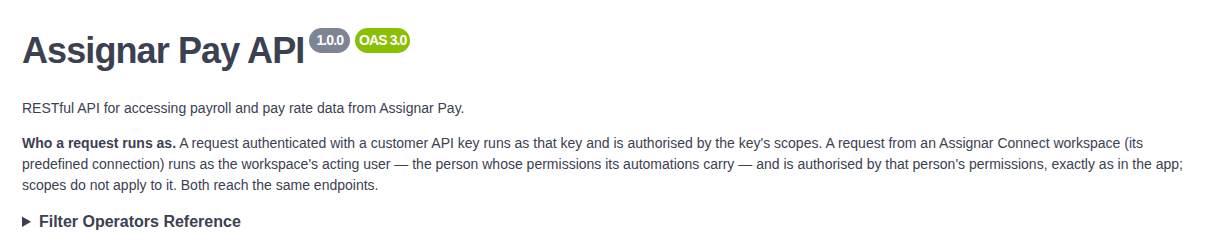
To send requests from the page, click Authorize, paste your key into Value under ApiKeyAuth, and click Authorize. Then open an endpoint, fill in its parameters and click Execute. These are real calls against your organization's data, so take care with write endpoints. The page remembers the key in your browser until you click Authorize and Logout.